Hello Coffee ShopHello Coffee Shop
About
Manager / StaffItem ProductionStorageItem SalesItem UpgradesShop ExpansionGarden ExpansionLevel UpShop GradeShop Reputation / Customer Count
TakeoutSmart CarBoat OrderWitch's Food Order
Add FriendsSocial ActivitySocial TruckSocial Dish
Pets Fruit Juice Stand
OrchardFruit StorageFruit Delivery VanFruit Tree
Mineral MiningMineral StorageMineral TruckMine
FranchiseFranchise MissionFranchise Sales Mission
Decoration Interior Upgrade
CocoGold
Parts StoragePartsPaintMagic Potion
Coco PackagePremium PackageCoco TreeRemove Ads
Free Item Free Package
Daily QuestManager MissionChallengeDaily ChallengeAchievement
Goods Shop BBQ Shop and Bus Push Push Manager (Mini Game) Ranking Weekly Ranking Account / Profile Game Settings
Account / Profile
🌐 Language

Account / Profile

You can view and manage your account information in your Profile.
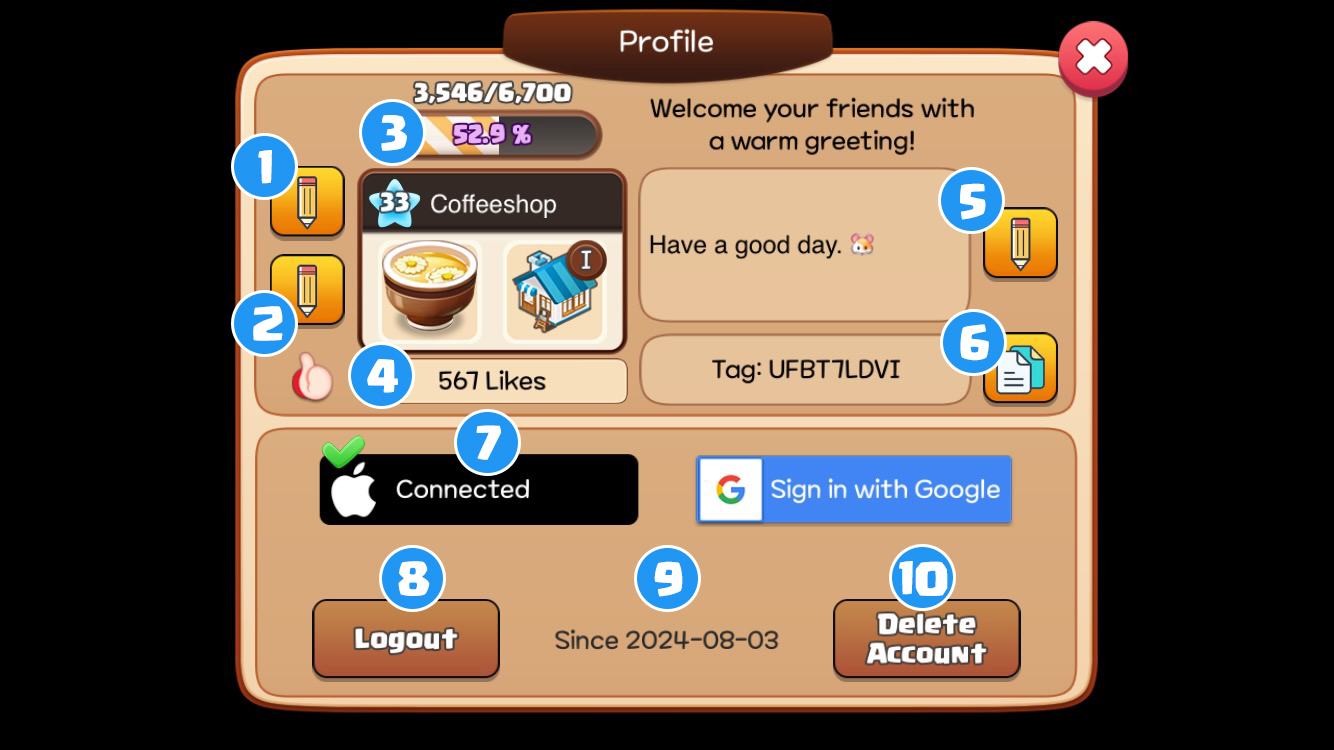
1 NicknameChange your nickname.
2 LogoChange your logo to express your unique style.
3 Level/EXPCheck your current level and EXP.
4 LikesNumber of Likes received
5 GreetingThis is the greeting message your friends will see when they visit your shop.
6 TagCopy your tag to share your shop with friends.
7 Connect AccountConnect your Google or Apple account to keep your account secure and play Hello Coffee Shop on other devices.
8 Log Out Use this when managing multiple Hello Coffee Shop accounts. (Each account must be connected to a different Google or Apple account.)
9 Game Start DateCheck the date you started playing Hello Coffee Shop.
10 Delete AccountDelete your account. (If connected to a Google or Apple account, you can restore it within 24 hours.)

Changing Connected Google or Apple Account: Tap the Google or Apple button to disconnect, then tap it again to connect a different account.

Note: Accounts not connected to a Google or Apple account cannot be logged out of and can only be deleted.

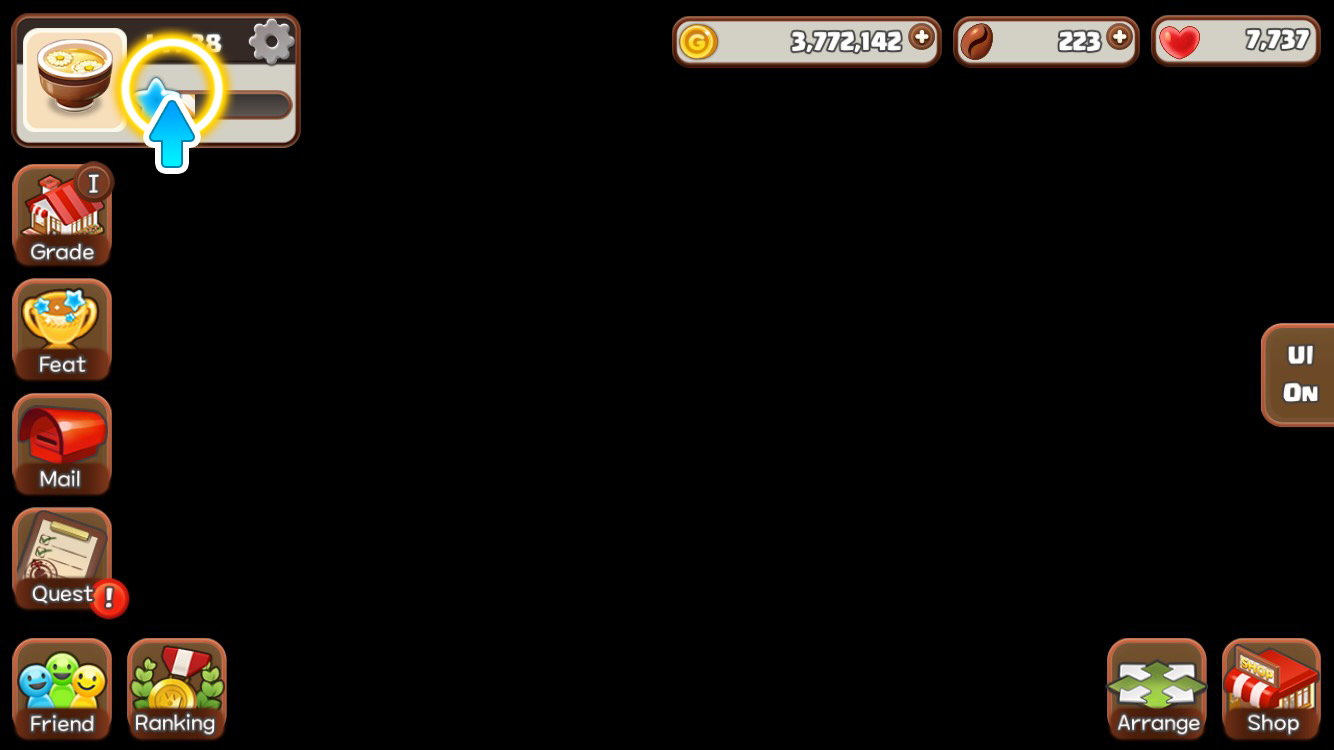
How to Access Your Profile

Tap the profile area to open your Profile.