Takeout Orders are one of the main ways to earn Gold and Parts.
How to Fulfill Takeout Orders
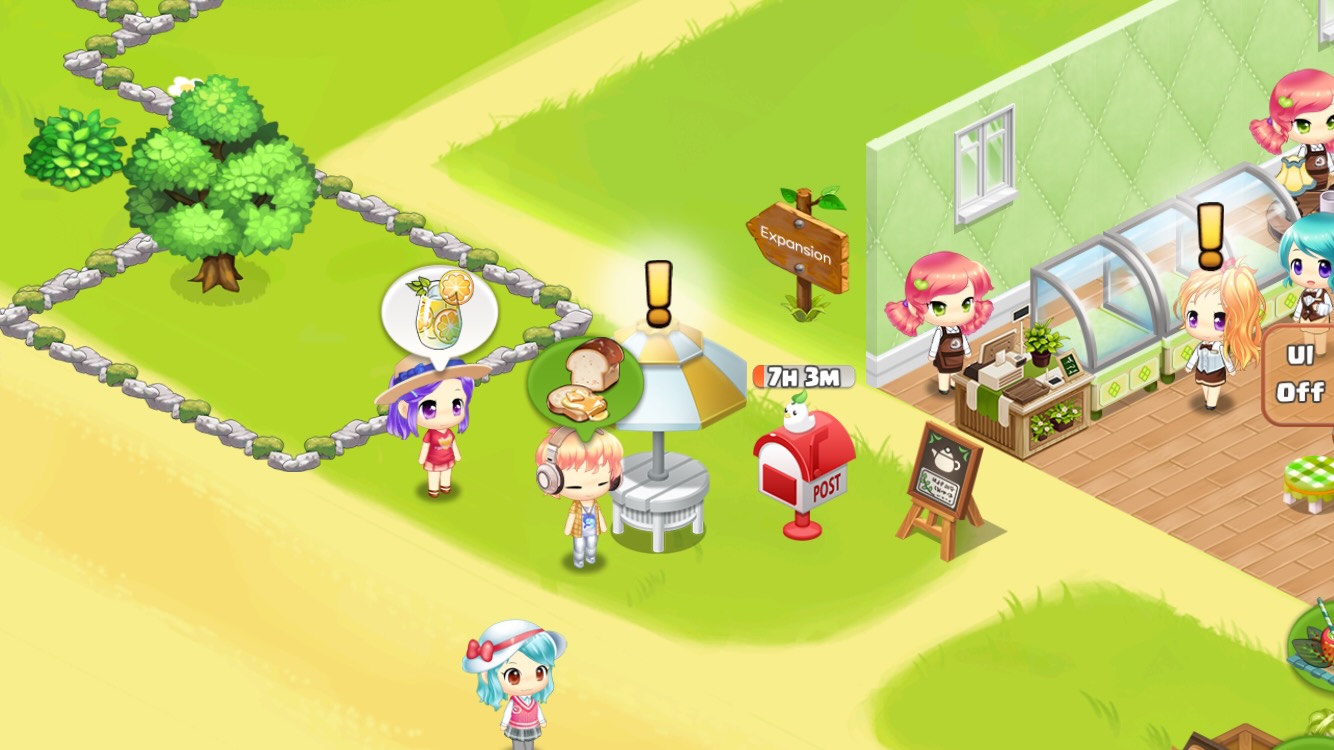
Green Balloon: You have enough of the item the customer wants.
White Balloon: You don't have enough of the item the customer wants. (You need to make more.)
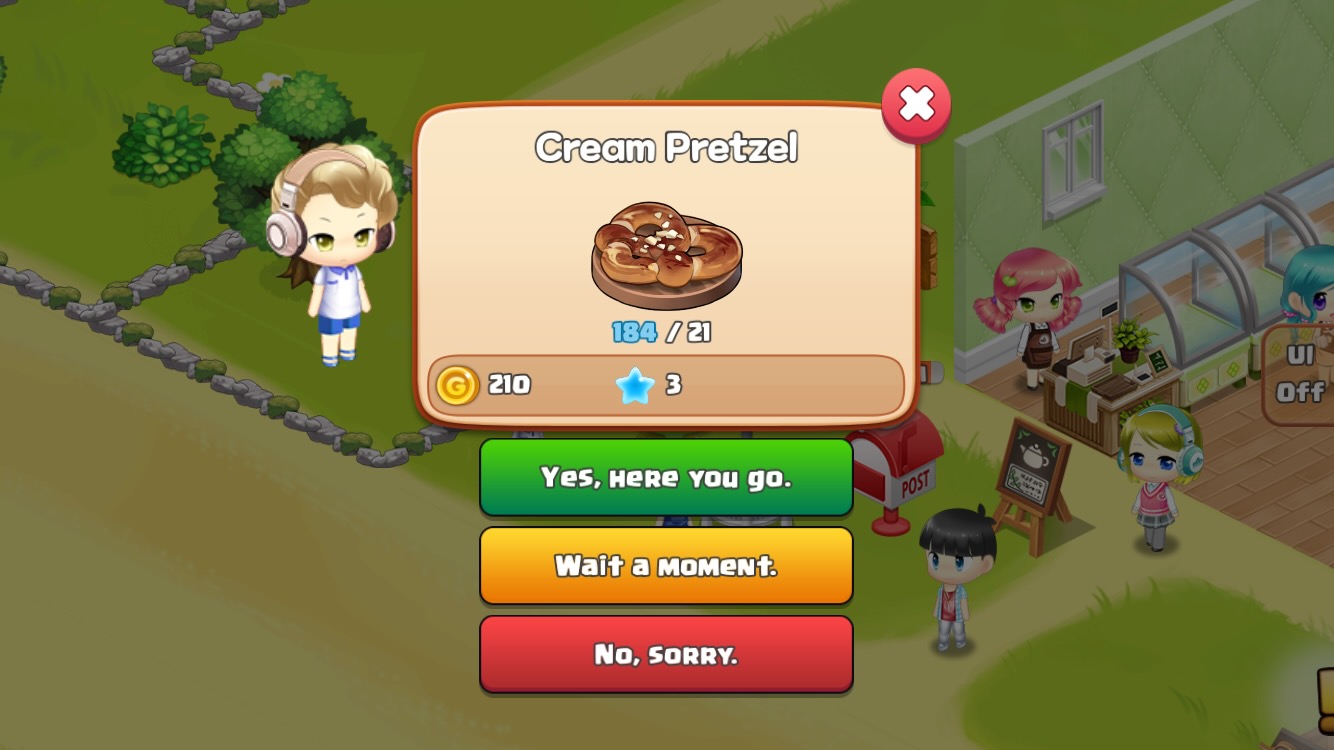
Tap 'Here you go!' to complete the Takeout Order and receive rewards.
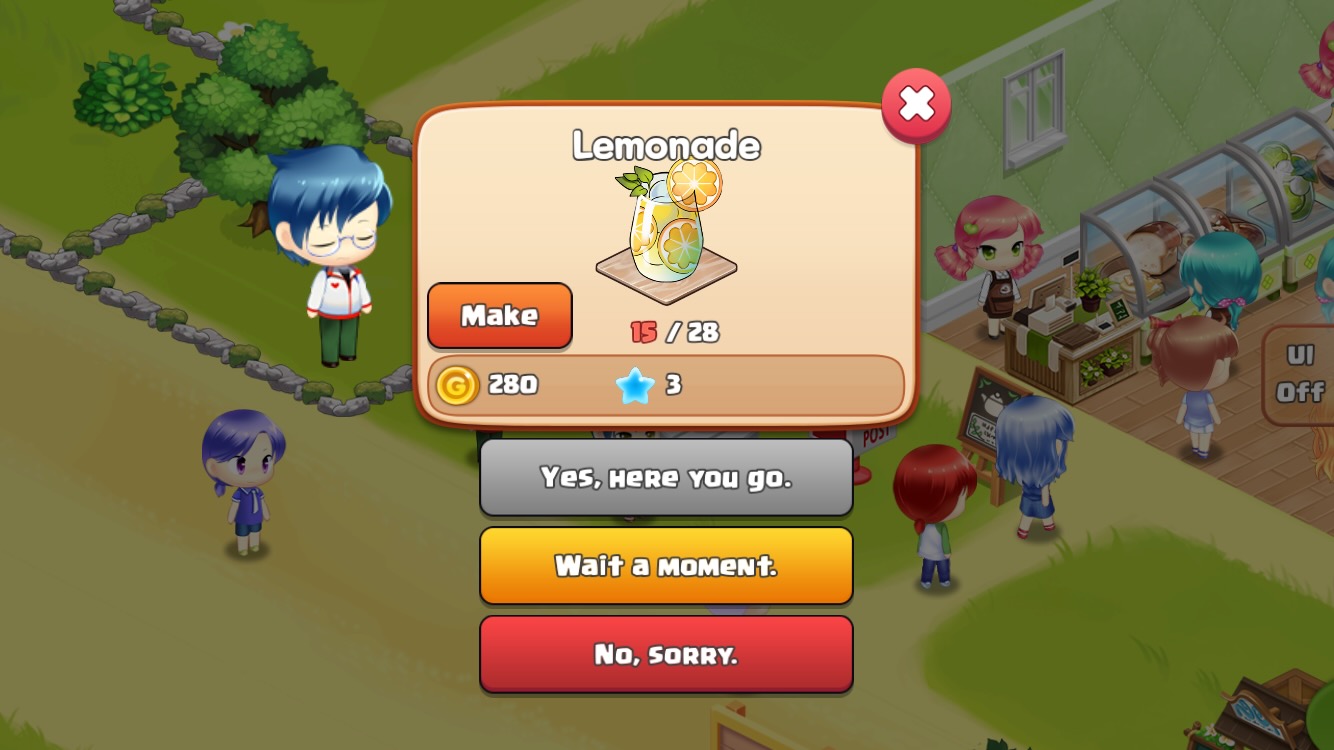
Tap the 'Make' button if you don't have enough of the item, then go to the Item Production screen to make more.
Tap 'Sorry, I can't.' to turn the customer away.
Takeout Upgrades
| Takeout | Required Level | Gold Price | Required Parts | Customer Count |
| Level 2 | 4 | 1,400 | 5 | 2 |
| Level 3 | 7 | 4,800 | 7 | 3 |
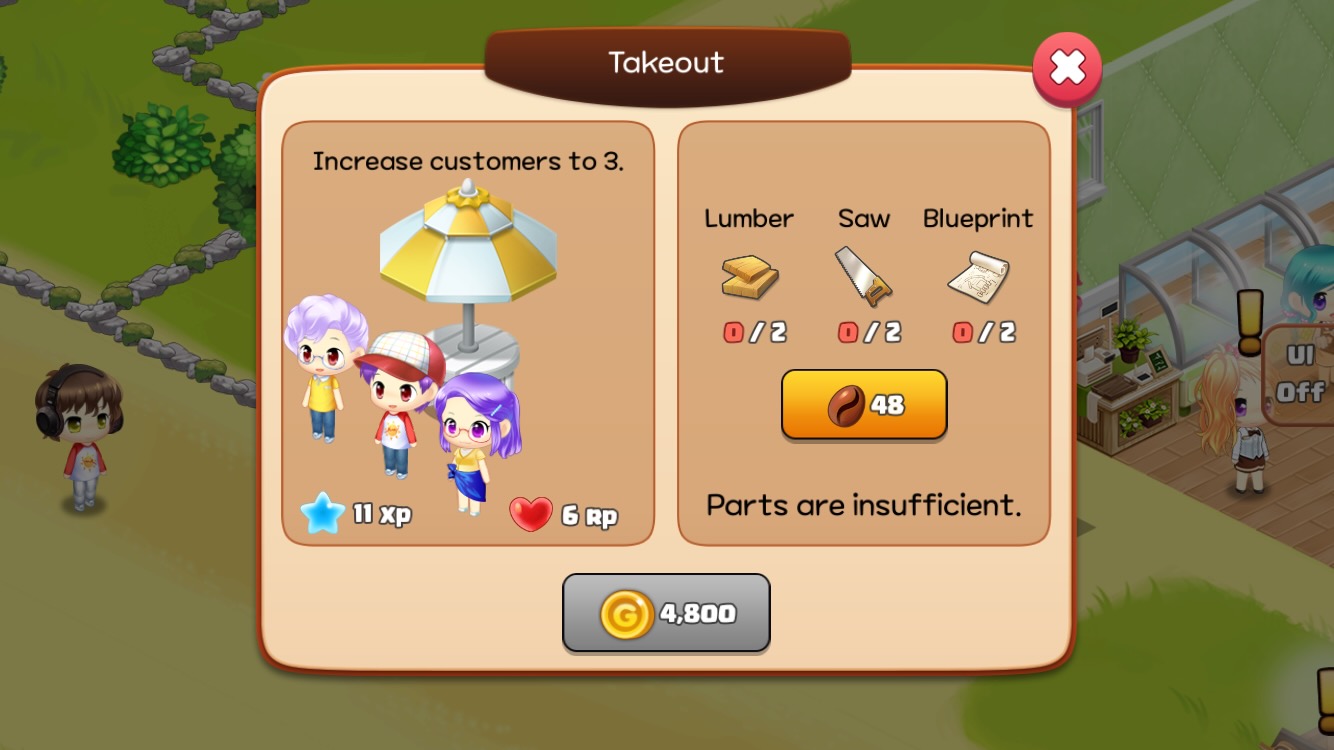
Tap the Takeout Stand to open the upgrade window.
Takeout Color Unlock

Tap the Paint icon in the upgrade window to open the Paint Shop.
- Sales increase from Paint colors: +5% for each unlocked Paint color.
- Paint materials: Gold and 13 pieces of Paint in each color are required.
Challenge
Takeout sales are one of the Challenges. See the Challenge guide for details.