Hello Coffee ShopHello Coffee Shop
About
Manager / StaffItem ProductionStorageItem SalesItem UpgradesShop ExpansionGarden ExpansionLevel UpShop GradeShop Reputation / Customer Count
TakeoutSmart CarBoat OrderWitch's Food Order
Add FriendsSocial ActivitySocial TruckSocial Dish
Pets Fruit Juice Stand
OrchardFruit StorageFruit Delivery VanFruit Tree
Mineral MiningMineral StorageMineral TruckMine
FranchiseFranchise MissionFranchise Sales Mission
Decoration Interior Upgrade
CocoGold
Parts StoragePartsPaintMagic Potion
Coco PackagePremium PackageCoco TreeRemove Ads
Free Item Free Package
Daily QuestManager MissionChallengeDaily ChallengeAchievement
Goods Shop BBQ Shop and Bus Push Push Manager (Mini Game) Ranking Weekly Ranking Account / Profile Game Settings
Game Settings
🌐 Language

Game Settings

You can customize the game environment to your liking by adjusting settings.
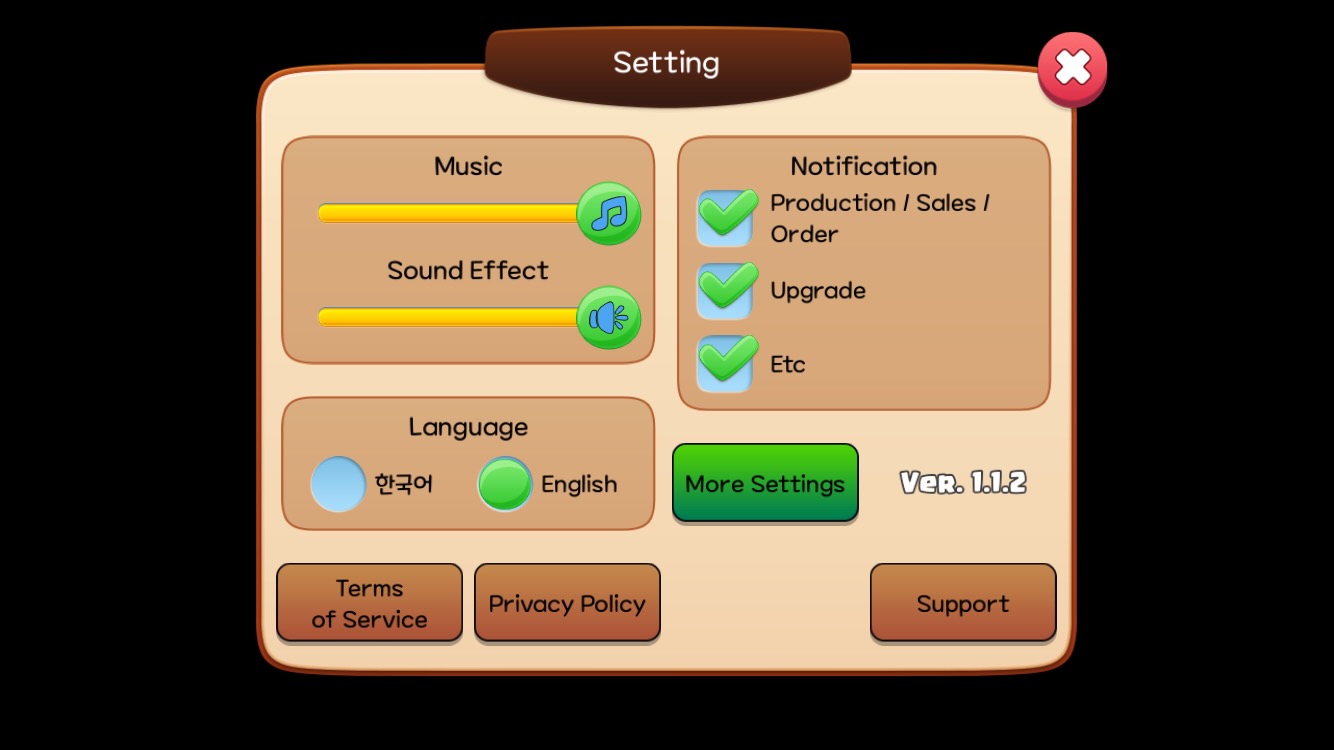
Adjust the settings you want in the Settings window, or tap 'More Settings' for additional options.
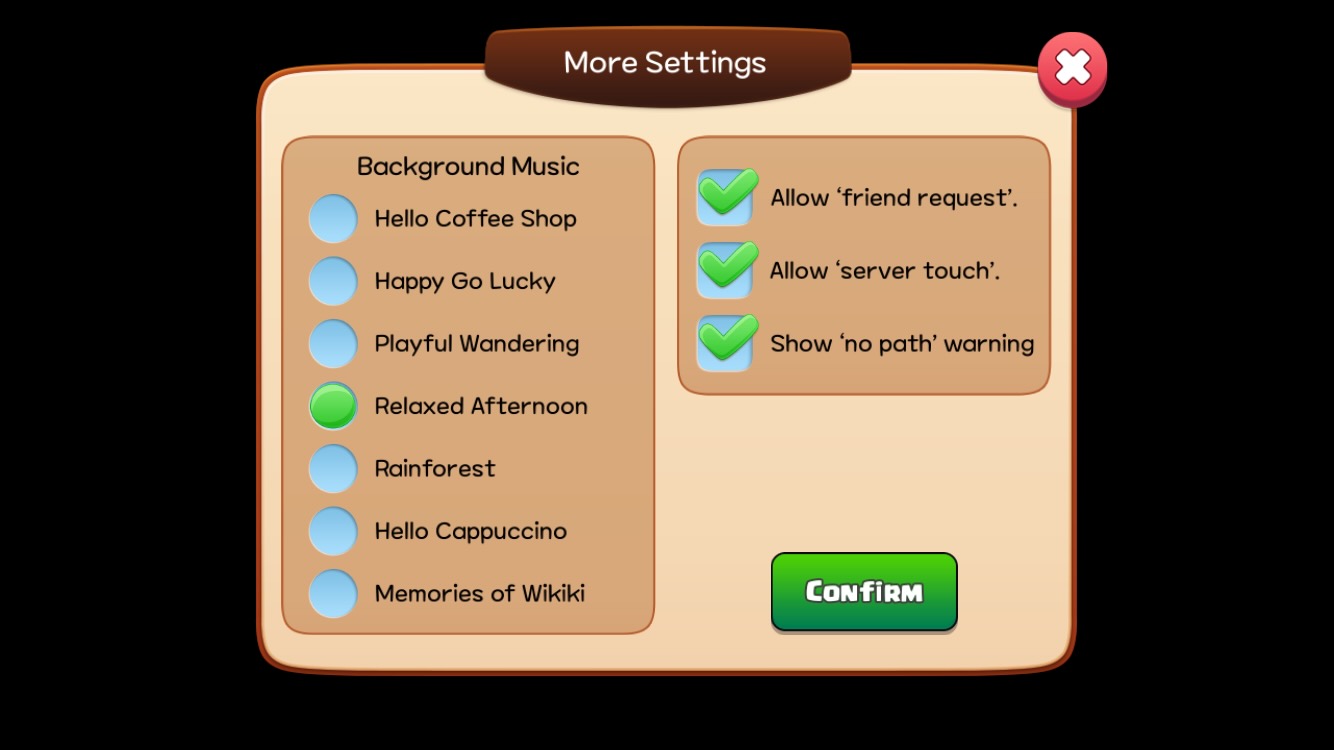
Adjust the settings you want in the More Settings window.

SoundAdjust the volume or turn on/off background music and sound effects.
NotificationsSet up notifications for production, sales, orders, upgrades, and more.
LanguageChoose your preferred language from the 12 supported languages.
Background MusicSelect your favorite track from 7 background music options.
OtherTurn on or off 'Allow Friend Requests', 'Allow Tapping Serving Staff', and "Show 'Path Blocked' Alert".

Turn off 'Allow Friend Requests' if you already have enough friends. Turn it back on whenever you want to receive friend requests again.

Turn off 'Allow Tapping Serving Staff' to prevent accidental taps on Serving Staff.

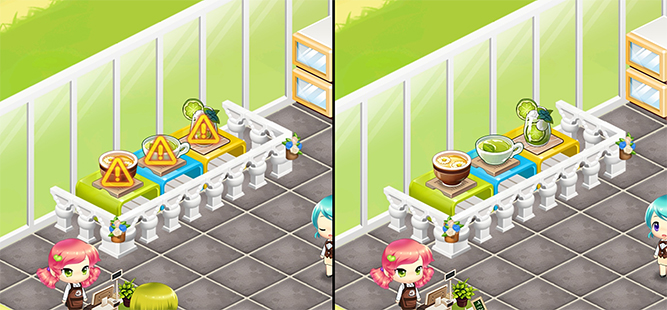
Turning off "Show 'Path Blocked' Alert" will remove the warning signs.

Turn off "Show 'Path Blocked' Alert" for a cleaner shop.

When a path is blocked, the following issues may arise:

CashierBlocked paths prevent customers from reaching Cashiers and completing payments.
ChairBlocked paths prevent customers from accessing and using the chairs.
Display StandBlocked paths prevent Serving Staff or customers (in the Goods Shop) from reaching products.

Turning off "Show 'Path Blocked' Alert" will disable alerts for blocked Cashiers, chairs, and display stands. Proceed with caution.

Accessing the Settings Menu

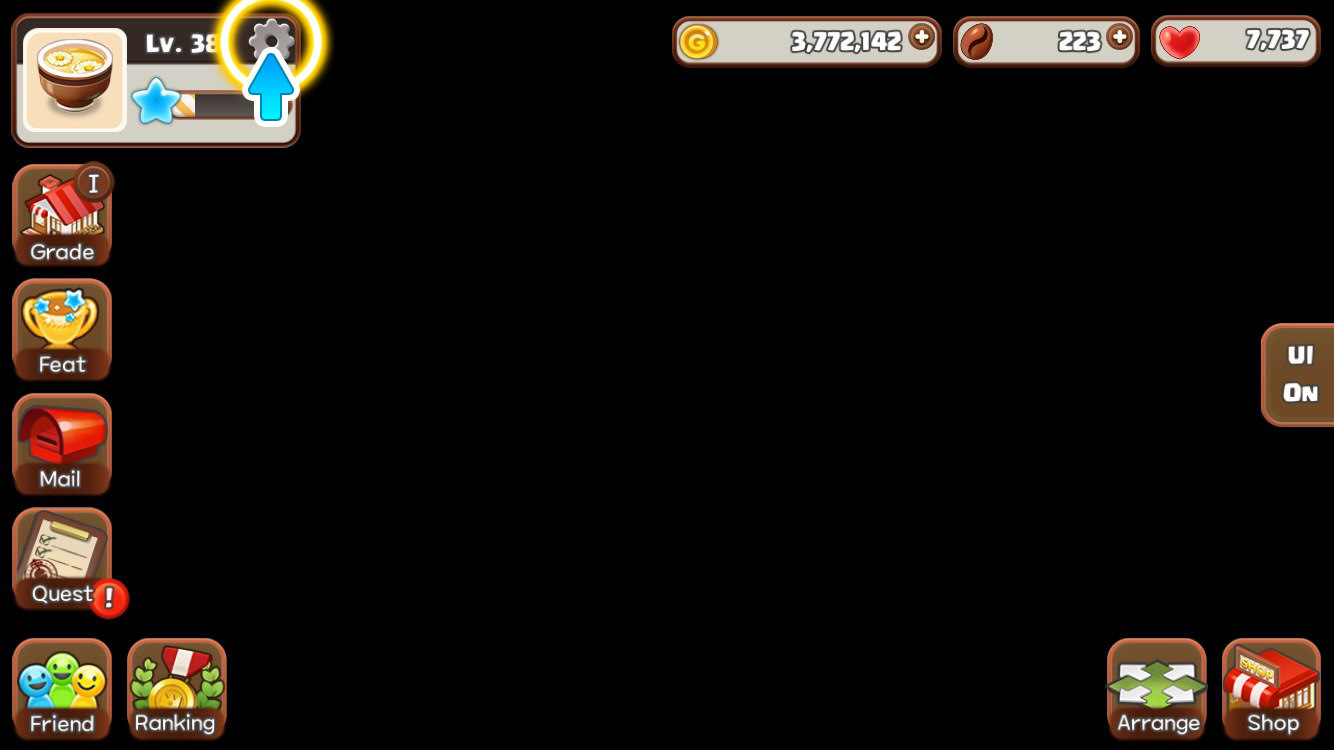
Tap the gear icon in the profile area to open the Settings window.