
Item Production Screen Guide
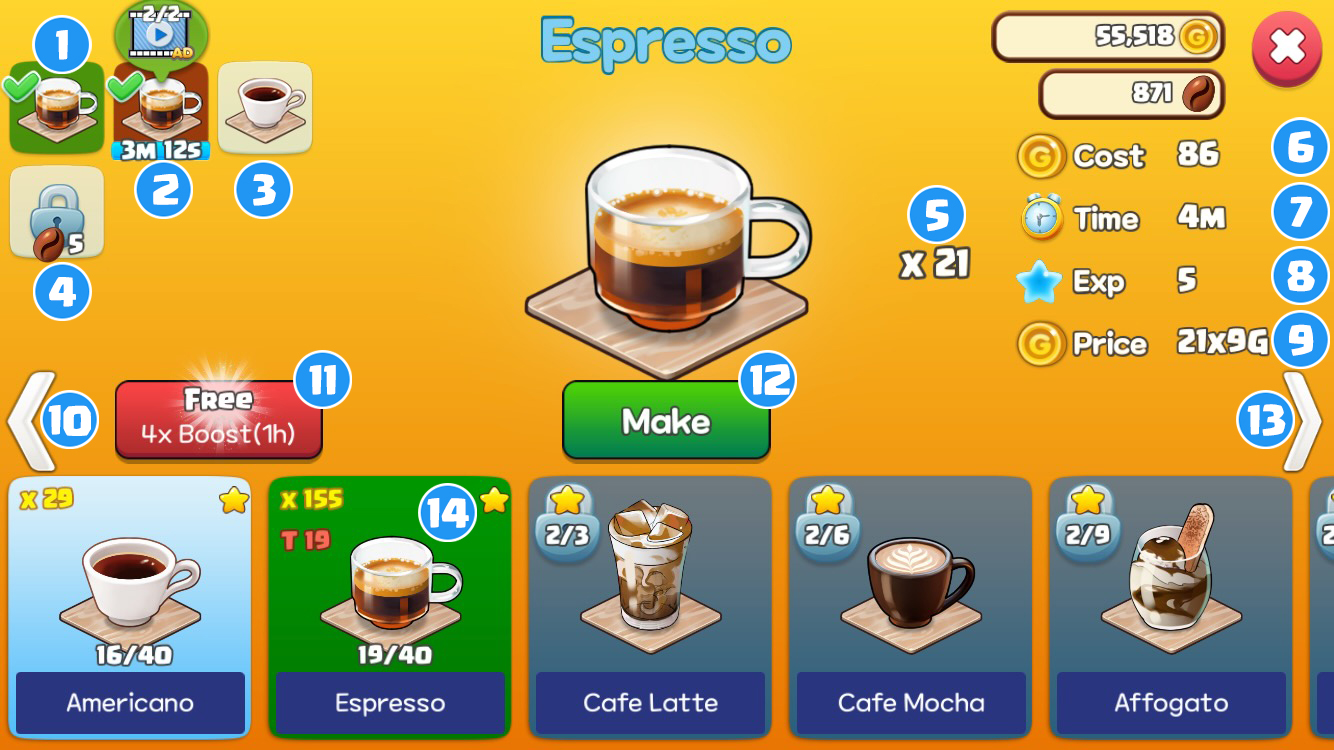
1 Completed Items
- Tap to discard items. (Cost is non-refundable)
2 In Progress
- Watch an ad to complete instantly (2 ads every 8 hours; the remaining time is shown above the mailbox in front of the Coffee Shop).
- Tap to complete instantly or cancel (the cost is non-refundable if canceled).
3 Queued
- Tap to cancel (Cost will be refunded)
4 Locked Slots
- There are 9 slots in total (2 initially open; unlock more with Coco).
-
3 slots 3 Coco 4 slots 5 Coco 5 slots 7 Coco 6 slots 10 Coco 7 slots 20 Coco 8 slots 30 Coco 9 slots 40 Coco
5 Quantity
- Number of items that can be made at once (Increases with Barista/Designer/Chef level-ups)
-
Level 2 5% increase Level 3 10% increase Level 4 15% increase Level 5 20% increase Level 6 25% increase
6 Cost
- Gold required to make items
7 Production Time
- Time required to make items
8 EXP
- Earned when completed items are moved to the storage or display stand
9 Selling Price
- Increases as the number of production increases
-
10 times 1 Star +1 Gold 40 times 2 Stars +2 Gold 90 times 3 Stars +3 Gold 160 times 4 Stars +4 Gold 250 times 5 Stars +5 Gold
10 Change Maker
- Go to the previous maker's production screen (Coffee Shop → Goods Shop → BBQ Shop, in order of level).
11 Booster
- Increases production speed fourfold for 1 hour (1 free use per day, then 10 Coco).
12 Make
- Tap to start or queue item production
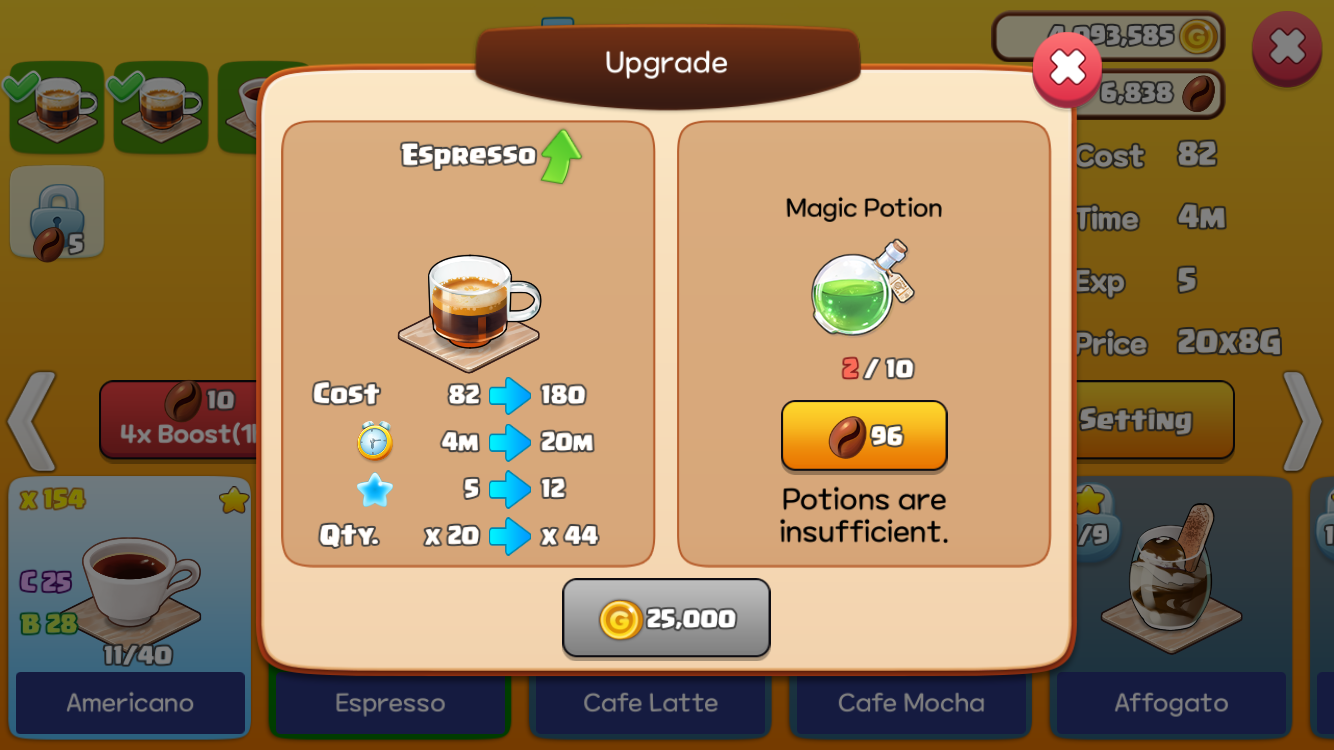
13 Upgrade
- Tap the button to open the item upgrade popup.
14 Settings
- Tapping the button opens a window where you can set the item list order.
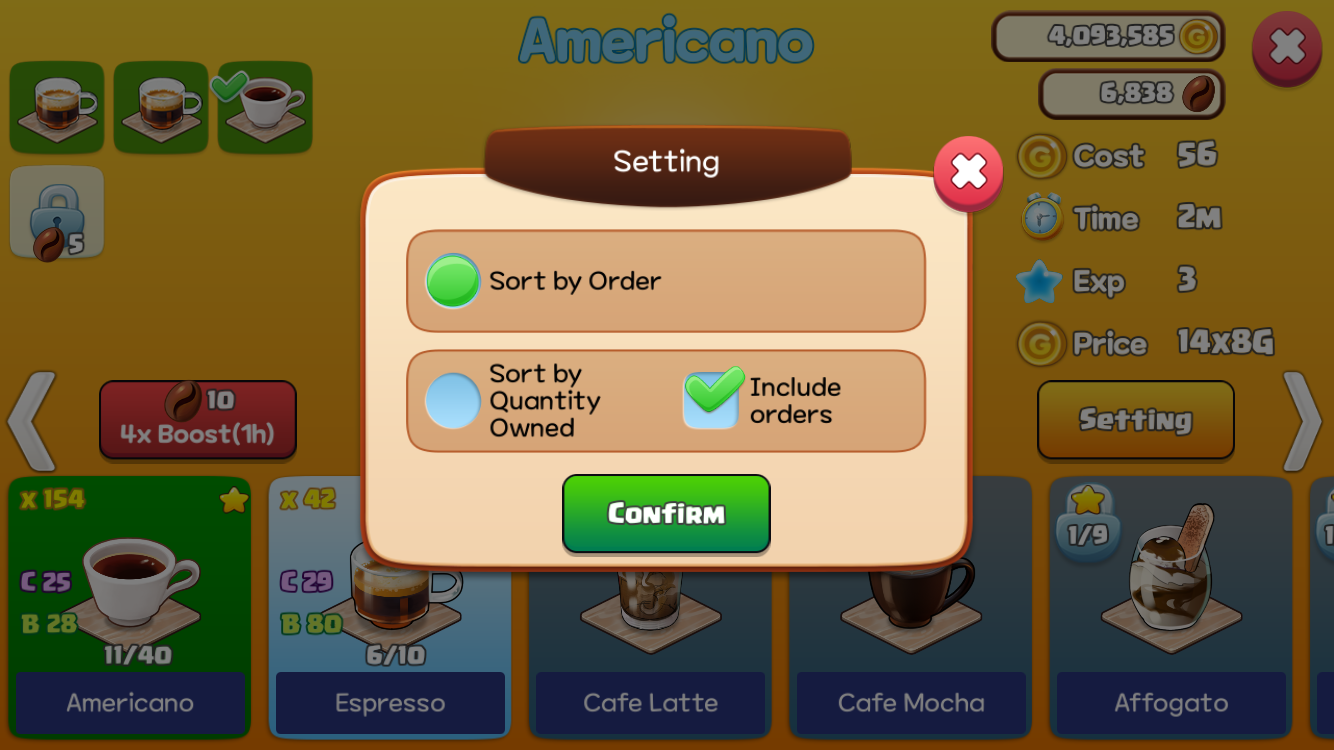
- Sort by Order: Sort items by the order they were unlocked
- Sort by Quantity Owned: Sort items in ascending order of quantity owned
15 Change Maker
- Go to the next maker's production screen (Coffee Shop → Goods Shop → BBQ Shop, in order of level)
16 Items
- Light Blue: Makeable
- Green: Currently selected item
- Gray: Cannot be made because you do not have enough stars; it unlocks based on the total stars of all items made by that maker.
- × 155: Number of items in storage and on display stands (from version 2.6.4; earlier versions show items in storage only) If you switch to storage only in More Settings, only the storage count is shown.
- T 19: Number of items requested by Takeout Customers (C: Smart Car, B: Boat)
- 19/40: Number of times the item has been made / The required number of production for the next star
How to Open the Item Production Screen
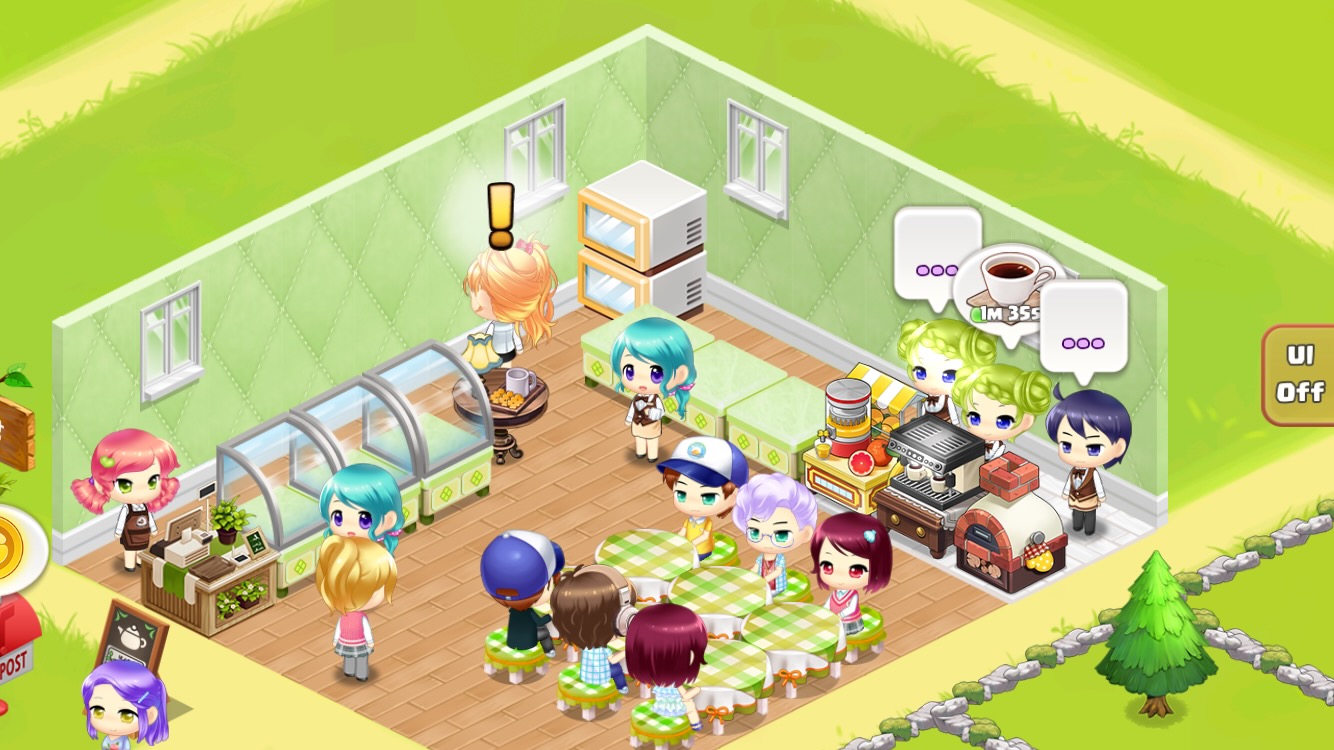
Tap the speech bubble above a resting Barista.
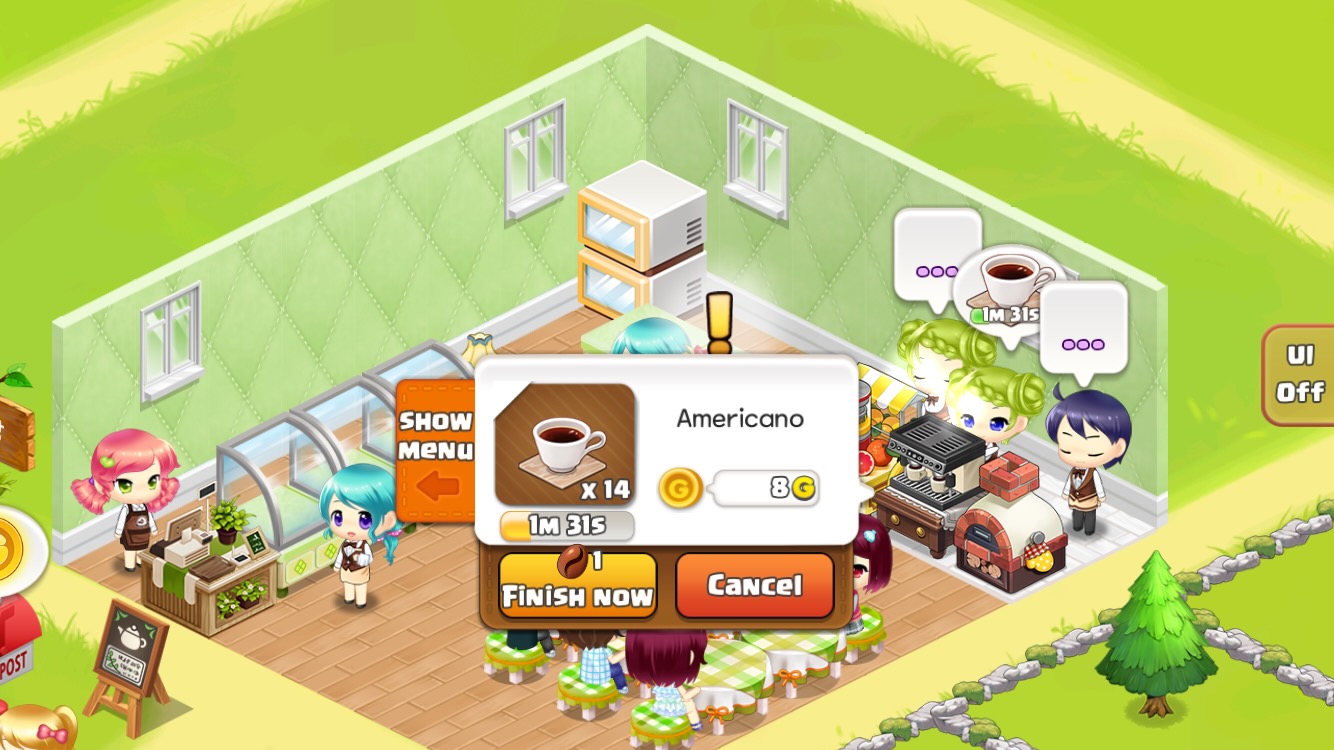
Tap the speech bubble above a working Barista and then tap 'Show Menu' in the pop-up window.